Solution · Resilience
Backup an attacker cannot delete.
In a ransomware attack the backups are deleted first. Our backups keep an offsite copy nobody can delete for a set time, and we test that the data can be restored.
What changes for you
-
Fast recovery from small mishaps
Local snapshots bring back deleted files and whole servers in minutes.
-
Survives an attack
An encrypted copy sits offsite. Where needed it is immutable and cannot be deleted even with stolen admin credentials.
-
Restores tested
We rehearse restores on a schedule and document how long they take. A green tick in the software is not enough for us.
-
Clear recovery plan
You know in advance which systems come back in which order and how much data could be lost in the worst case.
What runs behind it
-
Local snapshots
At short intervals, space-efficient, not changeable with normal user rights.
-
Encrypted offsite copy
To a second site or a data centre in the EU. Encrypted before the data leaves the building.
-
Immutable retention
Where needed in object storage with a deletion lock. Until the period ends nobody can remove the backup.
-
Monitored
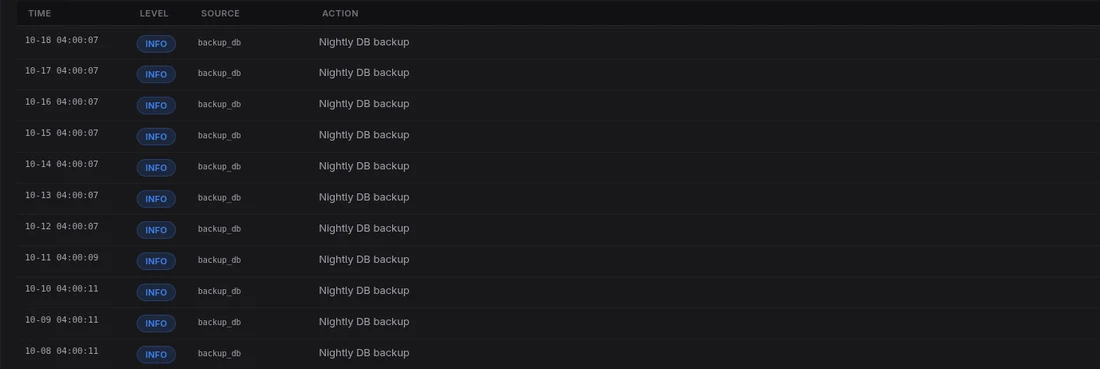
Every backup run is checked. If one is missing, we see it before you need it.
→
What it looks like
Service or project
We run it for you, or your team takes over.
As a managed service for a fixed monthly price, with updates, backup and monitoring. Or as a project with handover of network plan, runbook and all credentials.
For IT leads
Technical detailsZFS · Proxmox Backup Server · S3 Object Lock
- Rule
- 3-2-1: three copies, two media, one offsite.
- Snapshots
- ZFS snapshots at short intervals.
- Virtual machines
- Proxmox Backup Server, incremental and deduplicated.
- Offsite
- Encrypted before data leaves the building. Second site or EU data centre.
- Immutable
- Optional S3-compatible object storage with Object Lock and a retention period.
- RPO and RTO
- Maximum data loss and recovery time are agreed per system.
- Verification
- Every backup run monitored, restore tests on a schedule and documented.
Further reading
More on the topic
-
S3 Object Lock
S3 Object Lock is a deletion lock for object storage: a stored file cannot be changed or deleted until a set date, not even with admin rights.
→ -
Immutable backup
An immutable backup is a backup that can be neither changed nor deleted for a set period.
→ -
Unveränderliche Backups gegen Ransomware: Was Immutability wirklich leistet
What immutable backups can and cannot do against ransomware.
→ -
Souveräne Backups: Sicherungen, die Ihnen wirklich gehören
Backups besser getrennt von Produktivsystemen betreiben: Identitäten, Speicherorte und Wiederherstellungsmöglichkeiten prüfen.
→
FAQ
Frequently asked questions
What does immutable backup mean?
A backup that cannot be changed or deleted for a set time, even with admin rights. It stops attackers from removing backups before they encrypt.
Is cloud sync enough as a backup?
No. Sync also copies deletions and encrypted files. A backup keeps earlier versions separate from the original.
Which technology do you use?
ZFS snapshots and replication, Proxmox Backup Server for virtual machines, encrypted offsite copies and, where needed, S3-compatible object storage with Object Lock.
Who do you offer this to?
For regulated companies, professions bound by confidentiality and anyone processing sensitive data, and for companies of about 30+ staff with critical systems.
Have your backup reviewed
Free first call
Briefly describe your situation. We help you assess it and plan the next step. Reply within 24 hours on working days.

Backup strategy, immutable backups and disaster recovery in Austria
vetosec designs and runs 3-2-1 backups with immutable copies and documented restore tests in Austria.
office [at] vetosec [dot] at · vetosec.at/contact/